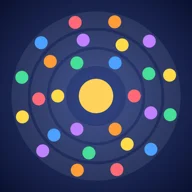
ESO Orbit
Spin the rings, chain cascades
iPhone · iPad
Coming soon to the App StoreAbout
Orbs fall towards a glowing core. Turn the rings, line up three of a colour, and watch the cascade. ESO Orbit is a match-3 puzzle on circles, in English, French and Dutch.
- Sweep, the main game (Play on the home screen): a full board, no new orbs and a clock: empty the board. 30 levels; the first eight are lessons that show every move. Free for everyone.
- Journey: 150 levels in six worlds, each with its own twist. Reach the goal, earn up to three stars and unlock the next level.
- Daily Orbit: one board, 30 moves, the same for every player in the world, new every day.
- Classic: new orbs keep arriving, faster and faster, on four difficulties.
- Blitz: 90 seconds, as many points as you can.
Help
How to play
- Drag a ring to turn it; it snaps into place.
- Line up three or more orbs of one colour along a ring or straight out from the centre: they clear, the orbs further out fall inwards, and new matches multiply your score.
- Stuck? The Hint button, free and unlimited in every mode, shows a good next move on the board until you play.
- Every game starts with a few undos (more with Premium). Long runs, crosses and big cascades earn the other power-ups: Rainbow, Blast, Freeze and Chameleon.
When a game ends
- Sweep: when the clock runs out or the board can't be emptied any more; Undo then lets you take the last move back.
- Journey: when you reach the goal, or run out of moves.
- Classic, Blitz and Daily Orbit: new orbs keep arriving from outside; the game ends when the board is full (or, in Blitz, after 90 seconds).
Classic has four difficulties: Hard opens at 3,000 points in Normal, and Expert at 5,000 points in Hard.
Settings
Sound, music and their volume, ring clicks, haptics, showing where the next orb drops, colour-blind symbols, a left-handed layout and a short intro. Your privacy choices for advertising are in the settings too.
Orbit Premium
Premium is the first section of the settings, and the Premium screen shows its price buttons under the three benefits. Both plans are always listed, Orbit Premium, yearly and Orbit Premium, monthly (no ads, Zen mode, more undos), each with its price and how it renews; the yearly plan starts with 7 days free while you can still get the trial. A line above them says You have Orbit Premium. or You don't have Orbit Premium yet.
A plan you can't buy stays visible but greyed, with the reason: Bought. Thank you!, Included in your Premium. To switch plans: Settings › Apple Account › Subscriptions., or Price unavailable for the moment. Restore purchases is there too.
Questions and answers
- What does Orbit Premium add?
- Orbit Premium removes every ad and adds Zen mode (no game over, no score), more undos in every game, and Duel: beat the score of an opponent near your Classic Normal rank on their board, or of the Orbit bot. It is a yearly subscription with a 7-day free trial, or a monthly one; the App Store shows the price in your country.
- Why is a Premium plan greyed out?
- Both plans are always shown. A greyed one can't be bought right now and says why: Bought (you already have it), Included in your Premium (to switch between yearly and monthly, use Settings › Apple Account › Subscriptions), or Price unavailable for the moment (the App Store can't give its price right now; try again later).
- How do I cancel Orbit Premium?
- In the Settings app of your iPhone or iPad: Apple Account › Subscriptions › ESO Orbit. Cancel at least 24 hours before the end of the period to avoid the next renewal.
- I bought Premium on another device. How do I get it back?
- Open the settings in the game and tap Restore purchases, signed in with the same Apple Account. Premium can also be shared with your family through Family Sharing.
- Why do I see ads, and what data do they use?
- The free version shows ads from Google AdMob. In the European Economic Area, the UK and Switzerland, Google's consent form appears first; you can change your choices later in the game's settings, and allow or refuse tracking in Settings › Privacy & Security › Tracking. Premium has no ads.
- Where is the Wall of fame?
- The Wall of fame uses Game Center: sign in to Game Center in your device's settings to see it. Only Premium players' scores go on the leaderboards; achievements count for everyone signed in to Game Center.
- Can I play offline?
- Yes, the game works offline. Game Center (the Wall of fame, and Duel against other players) needs a connection, and without one the free version shows ESO's own ad instead of Google's.
- Is the game playable with colour blindness?
- Yes: switch on the colour-blind symbols in the settings, and every orb gets a symbol as well as a colour.
Support
- Privacy policy: www.eso.be/eso-orbit/privacy
- A question, a problem or an idea? Write to us and mention the app, your device and its iOS version.